Mini
Compact relays made to fit in a back box behind a switch. The usual starting point for lighting, with single-channel, power-metering and energy-monitoring versions.
Shelly
Shelly makes small smart relays, sensors and plugs that add app, voice and automation control to the wiring you already have. Most Shelly relays fit in the back box behind an existing light switch, so the switch keeps working and nothing new appears on the wall. This page covers how Shelly works, how it fits into a UK home, what the model names mean, and where to start.
A Shelly relay sits between your light switch and the light it controls. The switch is wired to the relay's input, so it still turns the light on and off. The relay adds other ways to do the same thing: a tap in the app, a voice command, a schedule, or a trigger from a sensor or button.
Shelly devices connect to your home network and run their schedules and actions on the device itself. If the internet goes down, the switch on the wall and anything set up locally keep working. Shelly's cloud is optional. It adds control away from home and the link to voice assistants.
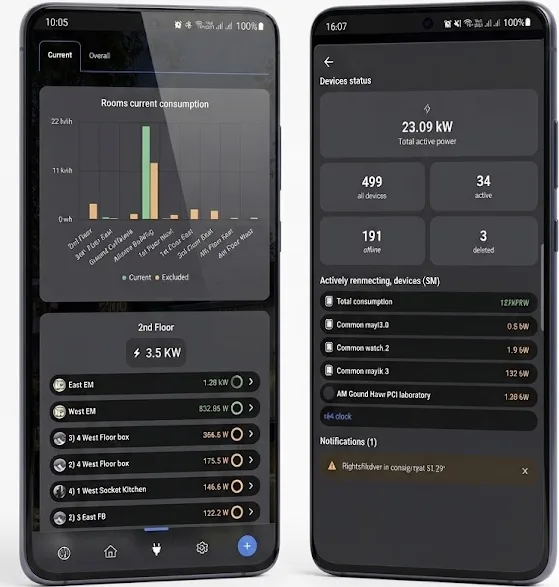
Many Shelly relays also measure power, so you can see what a circuit or appliance uses and when. Gen4 devices are Matter-certified and also speak Zigbee, so they can join Apple Home, Google Home or Alexa directly, or a Zigbee network run by a system such as Home Assistant.
In the back box
Most lighting jobs use a Mini relay in the back box Behind The Switch. For work in the consumer unit, the Pro range mounts on a DIN rail. Our guide to fitting a Shelly Mini behind a UK light switch walks through a typical install.
Check for a neutral first. Most Shelly relays need one, and many UK homes are wired so that only a live and a switched live reach the light switch. If there is no neutral at your switch, the Shelly 1L Gen3 and Shelly 2L Gen3 are designed for it. Shelly 1L vs Mini explains the difference.
Shelly relays connect to mains wiring. We recommend having them fitted by a qualified electrician.
Compact relays made to fit in a back box behind a switch. The usual starting point for lighting, with single-channel, power-metering and energy-monitoring versions.
DIN-rail relays, dimmers and energy meters for a consumer unit or enclosure. They handle more circuits per device and connect by network cable as well as Wi-Fi.
Battery-powered Bluetooth buttons, sensors and radiator valves. To reach the app, they need a Shelly BLU Gateway or a compatible Shelly Wi-Fi device within range.
Z-Wave versions of Shelly relays and sensors, sold as Shelly Qubino Wave. They don't use Wi-Fi and need a Z-Wave controller.
You can also browse by type: relays, sensors and accessories. Our Mini vs Pro vs BLU vs Wave guide compares the ranges in more detail.
Reading the label
Free for everyday control, schedules, scenes and energy data.
Through Shelly's cloud link, or directly through Matter on Matter-certified devices.
Through Matter on Matter-certified devices, including the Gen4 range.
Finds Shelly devices on your local network and controls them without the cloud.
For the Wave range only.
Shelly suits you if you want to make existing switches smart one room at a time, add schedules or sensors, monitor energy use, or build automations in Home Assistant. Each device works on its own, so you can start with one circuit and add more later.
If you would rather have dedicated keypads that set lighting scenes across the whole house, with curtains and blinds on the same system, look at Rako. What is Rako? explains how it works.
Yes. The switch connects to the relay's input, so it keeps turning the light on and off. You can set it to behave as a normal switch or as a push button in the app.
Yes. Wall switches, schedules and actions set on the device, and Home Assistant control all work on your home network. You need the internet for control away from home and for most voice assistant links.
Not for Wi-Fi devices, which connect straight to your router. BLU devices need a BLU Gateway or a compatible Shelly Wi-Fi device nearby. Wave devices need a Z-Wave controller.
Matter-certified Shelly devices, including the Gen4 range, can be added to Apple Home through Matter. Check the product page for Matter support before you buy.
Both work in the same app. Gen4 adds Zigbee and Matter certification and costs a little more. If you only use the Shelly app or Home Assistant over Wi-Fi, Gen3 does the job.
Shelly relays connect to mains wiring, so we recommend a qualified electrician. The Plus Plug UK and battery-powered BLU devices need no wiring.